Framer Overview: Everything You Need to Know Before You Start
April 21, 2026

Khakan Hayder
Founder
10 MINS READ
What Is Framer? A Deep Framer Overview
To truly understand this Framer overview, you need to look at it not just as a tool, but as a design-to-launch ecosystem.
Framer is a no-code, design-first website builder that allows users to create responsive, interactive websites visually, without writing code. But unlike older no-code platforms, it doesn’t limit creativity. Instead, it gives you the freedom of a design tool combined with the output of a production-ready website.
What makes Framer different is its ability to eliminate the traditional workflow:
No separate design tool (like Figma)
No handoff to developers
No complicated deployment
Everything happens in one place.
This is why many designers and startups now describe Framer as a “live design environment” rather than just a builder.
Why Framer Is Gaining Massive Attention in 2026
The rise of Framer is directly tied to broader shifts in the digital landscape. Understanding these trends is key to understanding its value.
The Demand for Speed in Digital Execution
Modern businesses operate in highly competitive environments where launching quickly can be the difference between success and irrelevance. Traditional development cycles often taking weeks or months are no longer acceptable.
Framer solves this by enabling rapid prototyping and instant publishing, allowing teams to test ideas in real time.
The Evolution of No-Code Into Pro-Code Capabilities
Earlier no-code tools were limited. They were easy to use but lacked flexibility. Framer changes that by offering:
Advanced animations
Complex layouts
Real-time responsiveness
This makes it appealing not only to beginners but also to professional designers and agencies.
AI Is Reshaping Website Creation
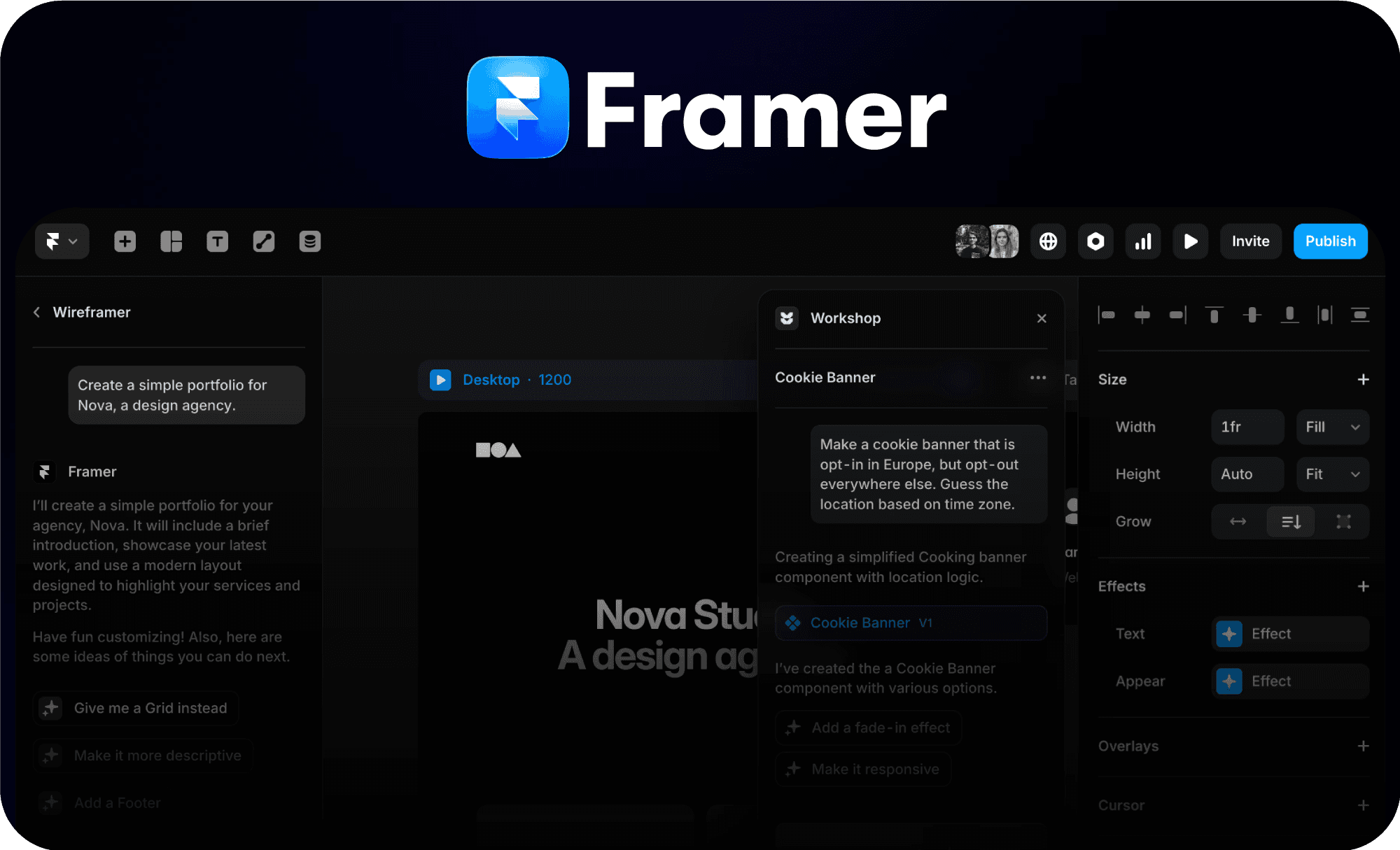
AI is one of the biggest reasons Framer is trending. It allows users to generate:
Page structures
Content sections
Design layouts
However, a critical insight often missed is this:
AI accelerates creation, but it does not replace strategy.
Websites built without thoughtful planning often fail, regardless of how quickly they are created.
Core Features Explained in This Framer Overview
Let’s examine Framer AI’s core features to better understand its capabilities as a website builder.
Design Without Constraints
One of the strongest aspects of Framer is its visual design system. Unlike rigid builders that rely on predefined blocks, Framer allows you to create layouts from scratch with complete freedom.
This is particularly valuable for:
Branding-focused websites
Creative portfolios
High-end landing pages
Instead of forcing your idea into a template, Framer allows your idea to define the design.
AI as a Starting Point, Not the Final Product
Framer’s AI capabilities are powerful, but their true value lies in acceleration, not completion.
You can generate a full website structure in minutes, but refining it requires:
Understanding user intent
Structuring content strategically
Designing for conversion
This is where most beginners struggle, they stop at generation instead of optimization.
Integrated CMS for Scalable Content
Framer includes a built-in CMS that allows users to manage dynamic content efficiently. This means you can create:
Blog systems
Case studies
Portfolio collections
The advantage here is simplicity. Unlike traditional CMS platforms, there is no need for plugins or complex configurations.
However, for large-scale content operations, it may still feel limited compared to more mature systems.
Performance and SEO: Strengths and Real Limitations
Framer is built with performance in mind. Websites are:
Fast-loading
Mobile-optimized
Structured with clean code
These factors align well with modern SEO requirements.
But here’s the deeper insight:
Framer handles technical SEO fundamentals, but it does not replace:
Keyword strategy
Content depth
Link building
Many users assume that a fast website automatically ranks well. In reality, content quality and search intent alignment matter far more.
Collaboration and Workflow Efficiency
Framer simplifies collaboration by allowing teams to work within the same environment. Designers, marketers, and stakeholders can:
Review changes instantly
Provide feedback in real time
Avoid long revision cycles
This reduces friction and speeds up decision-making, which is crucial in fast-paced environments.
Where Framer Truly Excels (Real-World Use Cases)
To fully understand this Framer overview, it’s important to look at practical applications.
Framer performs exceptionally well in scenarios where design and speed are critical.
Startup Landing Pages
Startups often need to validate ideas quickly. Framer allows them to:
Launch landing pages fast
Test messaging
Iterate based on user behavior
Personal Branding Websites
For creators and professionals, visual identity is everything. Framer enables:
Unique design expression
Interactive storytelling
Strong first impressions
Marketing-Driven Websites
Framer is ideal for campaigns that require:
High conversion rates
Engaging visuals
Clear call-to-actions
Where Framer Falls Short
No tool is perfect, and a realistic Framer overview must address its limitations.
Limited Backend Capabilities
Framer is not designed for:
Complex databases
Advanced user authentication systems
Large-scale applications
E-Commerce Constraints
While you can create product showcase pages, Framer is not a full eCommerce platform like Shopify.
Advanced SEO Customization
Although it covers basics well, advanced users may find limitations in:
Technical SEO control
Deep customization
This is why professional input often becomes necessary.
The Biggest Misconception About Framer
A critical insight that deserves attention:
People think Framer builds successful websites. It doesn’t but strategy does. Framer.ai is a tool. Its effectiveness depends entirely on how it is used. A poorly structured website built on Framer will still fail. A strategically designed website built on Framer can outperform competitors.
Why Hiring an Expert Matters More Than Ever
Even with powerful tools, most users struggle with:
Structuring content for conversions
Designing user journeys
Aligning websites with business goals
This is where expertise becomes essential. Therefore, if your goal is not just to build a website but to create a high-performing digital asset, working with a professional agency like myself is a smart investment.
I specialize in:
Framer website development
Conversion-focused design
SEO optimization
Business-driven website strategies
Instead of simply delivering a visually appealing site, the focus is on creating a platform that:
Attracts the right audience
Engages users effectively
Drives measurable results
This is the difference between a website that exists and a website that performs.
Step-by-Step: How to Start With Framer.AI Website Builder
Getting started with Framer might look simple on the surface, but each step plays a critical role in determining whether your website just “exists” or actually performs, converts, and ranks. Below is a deeper, more strategic breakdown of the process so you can approach it like a professional—not just a beginner.
1. Sign Up on Framer
The first step is creating your account, but this is more than just registration—it’s where your workflow begins.
When you sign up, you’ll immediately gain access to:
The design canvas
Pre-built templates
AI generation tools
Hosting and publishing features
Pro Insight:
Before jumping into design, take a moment to define your goal:
Are you building a landing page?
A personal brand website?
A service-based business site?
Your objective will shape every decision moving forward, from layout to content structure.
2. Choose a Template or Start With AI
This is where most users make their first major decision, and often their first mistake.
Framer gives you two starting paths:
Option A: Use a Template
Templates provide:
Pre-structured layouts
Proven design patterns
Faster setup
They are ideal if you want a reliable foundation.
Option B: Start With AI
AI allows you to:
Generate layouts instantly
Create sections based on prompts
Speed up the initial build
However, here’s the key insight:
AI gives you speed, not strategy.
AI-generated designs often lack:
Clear conversion flow
Strong branding
Optimized user experience
Best Approach:
Use AI or templates as a starting point, but always refine them manually.
3. Customize Your Design and Create the Real Value
This is the most important step in the entire process.
Customization is not just about making your website “look good.” It’s about:
Communicating your brand clearly
Guiding user behavior
Creating a seamless experience
Focus on these critical elements:
Visual Hierarchy
Make sure users instantly understand:
What your website is about
What action they should take
Consistency
Use consistent:
Colors
Typography
Spacing
This builds trust and professionalism.
User Experience (UX)
Ask yourself:
Is navigation intuitive?
Can users find information quickly?
Is the design mobile-friendly?
Conversion Design
Every section should lead toward a goal:
Sign-up
Purchase
Contact
Common Mistake to Avoid:
Overusing animations. While Framer excels at animations, too many can slow down your site and distract users.
4. Add CMS Content and How to Make Your Site Dynamic
Framer’s CMS allows you to go beyond static pages and create scalable content systems.
You can use it to manage:
Blog posts
Case studies
Portfolios
Service pages
Instead of manually designing each page, CMS lets you:
Create a structure once
Populate it with dynamic content
Why This Matters for SEO:
Search engines favor websites that:
Regularly publish content
Cover topics in depth
Stay updated
A well-structured CMS helps you:
Target multiple keywords
Build topical authority
Improve rankings over time
Pro Tip:
Plan your content categories before adding CMS data. This improves both SEO and user navigation.
5. Optimize SEO Settings
This step is often underestimated—but it directly impacts whether your website gets traffic or not.
Framer provides built-in SEO tools, but you need to use them strategically.
Key Areas to Optimize:
1. Page Titles & Meta Descriptions
Make them:
Keyword-focused
Clear and compelling
Aligned with search intent
2. URL Structure
Keep URLs:
Short
Clean
Relevant to content
3. Headings (H1, H2, H3)
Structure your content so search engines understand:
Your main topic
Supporting sections
4. Image Optimization
Use:
Proper file sizes
Descriptive alt text
SEO Is Not Just Technical
Remember, even with perfect settings, your site won’t rank if:
Content is weak
Keywords are poorly chosen
User intent is ignored
SEO success depends on combining:
Technical optimization
High-quality content
Strategic keyword targeting
6. Publish Your Site (And Don’t Stop There)
Publishing in Framer is simple, just one click. But here’s what most people misunderstand:
And publishing is not the end. It’s the beginning. Once your site is live, your focus should shift to:
Performance Monitoring
Track:
Page speed
User behavior
Conversion rates
Continuous Improvement
Update your site based on:
User feedback
Analytics
SEO performance
Content Expansion
Add new pages and blog posts regularly to:
Increase visibility
Build authority
Attract more traffic
Why This Process Is Simple Yet Powerful
At first glance, these steps seem straightforward. But the real power lies in how well each step is executed.
A beginner might:
Pick a template
Add content
Publish quickly
A professional approach would:
Define a clear goal
Structure content strategically
Design for conversion
Optimize for SEO
Continuously improve
That difference determines whether your website:
Gets ignored
Or drives real business results
Future of Framer: What to Expect
Framer is evolving rapidly, and its future looks promising. Key developments to watch include:
More advanced AI capabilities that go beyond layout generation
Improved SEO controls for advanced users
Enhanced integrations with marketing tools
Greater scalability for larger projects
The platform is moving toward becoming a complete digital experience solution, not just a website builder.
Is Framer the Right Choice?
This Framer overview highlights that it is one of the most powerful tools available for modern website creation, but only when used correctly.
Choose Framer if you value:
Speed and efficiency
Creative freedom
Modern design capabilities
Be cautious if your needs involve:
Complex backend systems
Large-scale applications
Advanced customization beyond design
Conclusion
Framer is redefining how websites are built by combining design, performance, and AI into a single streamlined platform. It empowers users to move faster, design better, and launch smarter.
However, the real value does not come from the tool itself, it comes from how effectively it is used.
If you want to turn Framer into a growth engine rather than just a design tool, working with an expert like myself can help you bridge the gap between creativity and results. In a digital world where attention is limited and competition is intense, that difference matters more than ever.
To truly understand this Framer overview, you need to look at it not just as a tool, but as a design-to-launch ecosystem.
Framer is a no-code, design-first website builder that allows users to create responsive, interactive websites visually, without writing code. But unlike older no-code platforms, it doesn’t limit creativity. Instead, it gives you the freedom of a design tool combined with the output of a production-ready website.
What makes Framer different is its ability to eliminate the traditional workflow:
No separate design tool (like Figma)
No handoff to developers
No complicated deployment
Everything happens in one place.
This is why many designers and startups now describe Framer as a “live design environment” rather than just a builder.
Why Framer Is Gaining Massive Attention in 2026
The rise of Framer is directly tied to broader shifts in the digital landscape. Understanding these trends is key to understanding its value.
The Demand for Speed in Digital Execution
Modern businesses operate in highly competitive environments where launching quickly can be the difference between success and irrelevance. Traditional development cycles often taking weeks or months are no longer acceptable.
Framer solves this by enabling rapid prototyping and instant publishing, allowing teams to test ideas in real time.
The Evolution of No-Code Into Pro-Code Capabilities
Earlier no-code tools were limited. They were easy to use but lacked flexibility. Framer changes that by offering:
Advanced animations
Complex layouts
Real-time responsiveness
This makes it appealing not only to beginners but also to professional designers and agencies.
AI Is Reshaping Website Creation
AI is one of the biggest reasons Framer is trending. It allows users to generate:
Page structures
Content sections
Design layouts
However, a critical insight often missed is this:
AI accelerates creation, but it does not replace strategy.
Websites built without thoughtful planning often fail, regardless of how quickly they are created.
Core Features Explained in This Framer Overview
Let’s examine Framer AI’s core features to better understand its capabilities as a website builder.
Design Without Constraints
One of the strongest aspects of Framer is its visual design system. Unlike rigid builders that rely on predefined blocks, Framer allows you to create layouts from scratch with complete freedom.
This is particularly valuable for:
Branding-focused websites
Creative portfolios
High-end landing pages
Instead of forcing your idea into a template, Framer allows your idea to define the design.
AI as a Starting Point, Not the Final Product
Framer’s AI capabilities are powerful, but their true value lies in acceleration, not completion.
You can generate a full website structure in minutes, but refining it requires:
Understanding user intent
Structuring content strategically
Designing for conversion
This is where most beginners struggle, they stop at generation instead of optimization.
Integrated CMS for Scalable Content
Framer includes a built-in CMS that allows users to manage dynamic content efficiently. This means you can create:
Blog systems
Case studies
Portfolio collections
The advantage here is simplicity. Unlike traditional CMS platforms, there is no need for plugins or complex configurations.
However, for large-scale content operations, it may still feel limited compared to more mature systems.
Performance and SEO: Strengths and Real Limitations
Framer is built with performance in mind. Websites are:
Fast-loading
Mobile-optimized
Structured with clean code
These factors align well with modern SEO requirements.
But here’s the deeper insight:
Framer handles technical SEO fundamentals, but it does not replace:
Keyword strategy
Content depth
Link building
Many users assume that a fast website automatically ranks well. In reality, content quality and search intent alignment matter far more.
Collaboration and Workflow Efficiency
Framer simplifies collaboration by allowing teams to work within the same environment. Designers, marketers, and stakeholders can:
Review changes instantly
Provide feedback in real time
Avoid long revision cycles
This reduces friction and speeds up decision-making, which is crucial in fast-paced environments.
Where Framer Truly Excels (Real-World Use Cases)
To fully understand this Framer overview, it’s important to look at practical applications.
Framer performs exceptionally well in scenarios where design and speed are critical.
Startup Landing Pages
Startups often need to validate ideas quickly. Framer allows them to:
Launch landing pages fast
Test messaging
Iterate based on user behavior
Personal Branding Websites
For creators and professionals, visual identity is everything. Framer enables:
Unique design expression
Interactive storytelling
Strong first impressions
Marketing-Driven Websites
Framer is ideal for campaigns that require:
High conversion rates
Engaging visuals
Clear call-to-actions
Where Framer Falls Short
No tool is perfect, and a realistic Framer overview must address its limitations.
Limited Backend Capabilities
Framer is not designed for:
Complex databases
Advanced user authentication systems
Large-scale applications
E-Commerce Constraints
While you can create product showcase pages, Framer is not a full eCommerce platform like Shopify.
Advanced SEO Customization
Although it covers basics well, advanced users may find limitations in:
Technical SEO control
Deep customization
This is why professional input often becomes necessary.
The Biggest Misconception About Framer
A critical insight that deserves attention:
People think Framer builds successful websites. It doesn’t but strategy does. Framer.ai is a tool. Its effectiveness depends entirely on how it is used. A poorly structured website built on Framer will still fail. A strategically designed website built on Framer can outperform competitors.
Why Hiring an Expert Matters More Than Ever
Even with powerful tools, most users struggle with:
Structuring content for conversions
Designing user journeys
Aligning websites with business goals
This is where expertise becomes essential. Therefore, if your goal is not just to build a website but to create a high-performing digital asset, working with a professional agency like myself is a smart investment.
I specialize in:
Framer website development
Conversion-focused design
SEO optimization
Business-driven website strategies
Instead of simply delivering a visually appealing site, the focus is on creating a platform that:
Attracts the right audience
Engages users effectively
Drives measurable results
This is the difference between a website that exists and a website that performs.
Step-by-Step: How to Start With Framer.AI Website Builder
Getting started with Framer might look simple on the surface, but each step plays a critical role in determining whether your website just “exists” or actually performs, converts, and ranks. Below is a deeper, more strategic breakdown of the process so you can approach it like a professional—not just a beginner.
1. Sign Up on Framer
The first step is creating your account, but this is more than just registration—it’s where your workflow begins.
When you sign up, you’ll immediately gain access to:
The design canvas
Pre-built templates
AI generation tools
Hosting and publishing features
Pro Insight:
Before jumping into design, take a moment to define your goal:
Are you building a landing page?
A personal brand website?
A service-based business site?
Your objective will shape every decision moving forward, from layout to content structure.
2. Choose a Template or Start With AI
This is where most users make their first major decision, and often their first mistake.
Framer gives you two starting paths:
Option A: Use a Template
Templates provide:
Pre-structured layouts
Proven design patterns
Faster setup
They are ideal if you want a reliable foundation.
Option B: Start With AI
AI allows you to:
Generate layouts instantly
Create sections based on prompts
Speed up the initial build
However, here’s the key insight:
AI gives you speed, not strategy.
AI-generated designs often lack:
Clear conversion flow
Strong branding
Optimized user experience
Best Approach:
Use AI or templates as a starting point, but always refine them manually.
3. Customize Your Design and Create the Real Value
This is the most important step in the entire process.
Customization is not just about making your website “look good.” It’s about:
Communicating your brand clearly
Guiding user behavior
Creating a seamless experience
Focus on these critical elements:
Visual Hierarchy
Make sure users instantly understand:
What your website is about
What action they should take
Consistency
Use consistent:
Colors
Typography
Spacing
This builds trust and professionalism.
User Experience (UX)
Ask yourself:
Is navigation intuitive?
Can users find information quickly?
Is the design mobile-friendly?
Conversion Design
Every section should lead toward a goal:
Sign-up
Purchase
Contact
Common Mistake to Avoid:
Overusing animations. While Framer excels at animations, too many can slow down your site and distract users.
4. Add CMS Content and How to Make Your Site Dynamic
Framer’s CMS allows you to go beyond static pages and create scalable content systems.
You can use it to manage:
Blog posts
Case studies
Portfolios
Service pages
Instead of manually designing each page, CMS lets you:
Create a structure once
Populate it with dynamic content
Why This Matters for SEO:
Search engines favor websites that:
Regularly publish content
Cover topics in depth
Stay updated
A well-structured CMS helps you:
Target multiple keywords
Build topical authority
Improve rankings over time
Pro Tip:
Plan your content categories before adding CMS data. This improves both SEO and user navigation.
5. Optimize SEO Settings
This step is often underestimated—but it directly impacts whether your website gets traffic or not.
Framer provides built-in SEO tools, but you need to use them strategically.
Key Areas to Optimize:
1. Page Titles & Meta Descriptions
Make them:
Keyword-focused
Clear and compelling
Aligned with search intent
2. URL Structure
Keep URLs:
Short
Clean
Relevant to content
3. Headings (H1, H2, H3)
Structure your content so search engines understand:
Your main topic
Supporting sections
4. Image Optimization
Use:
Proper file sizes
Descriptive alt text
SEO Is Not Just Technical
Remember, even with perfect settings, your site won’t rank if:
Content is weak
Keywords are poorly chosen
User intent is ignored
SEO success depends on combining:
Technical optimization
High-quality content
Strategic keyword targeting
6. Publish Your Site (And Don’t Stop There)
Publishing in Framer is simple, just one click. But here’s what most people misunderstand:
And publishing is not the end. It’s the beginning. Once your site is live, your focus should shift to:
Performance Monitoring
Track:
Page speed
User behavior
Conversion rates
Continuous Improvement
Update your site based on:
User feedback
Analytics
SEO performance
Content Expansion
Add new pages and blog posts regularly to:
Increase visibility
Build authority
Attract more traffic
Why This Process Is Simple Yet Powerful
At first glance, these steps seem straightforward. But the real power lies in how well each step is executed.
A beginner might:
Pick a template
Add content
Publish quickly
A professional approach would:
Define a clear goal
Structure content strategically
Design for conversion
Optimize for SEO
Continuously improve
That difference determines whether your website:
Gets ignored
Or drives real business results
Future of Framer: What to Expect
Framer is evolving rapidly, and its future looks promising. Key developments to watch include:
More advanced AI capabilities that go beyond layout generation
Improved SEO controls for advanced users
Enhanced integrations with marketing tools
Greater scalability for larger projects
The platform is moving toward becoming a complete digital experience solution, not just a website builder.
Is Framer the Right Choice?
This Framer overview highlights that it is one of the most powerful tools available for modern website creation, but only when used correctly.
Choose Framer if you value:
Speed and efficiency
Creative freedom
Modern design capabilities
Be cautious if your needs involve:
Complex backend systems
Large-scale applications
Advanced customization beyond design
Conclusion
Framer is redefining how websites are built by combining design, performance, and AI into a single streamlined platform. It empowers users to move faster, design better, and launch smarter.
However, the real value does not come from the tool itself, it comes from how effectively it is used.
If you want to turn Framer into a growth engine rather than just a design tool, working with an expert like myself can help you bridge the gap between creativity and results. In a digital world where attention is limited and competition is intense, that difference matters more than ever.